Software
DxO PhotoLab 10: The upgrade that makes local RAW adjustments far smarter
PhotoLab 10 builds on version 9 with depth masks, more precise portrait masks and AI-based dust removal. For PhotoLab 9 users, this is primarily an upgrade for those who work extensively with local adjustments—but it does not challenge Lightroom in every area.
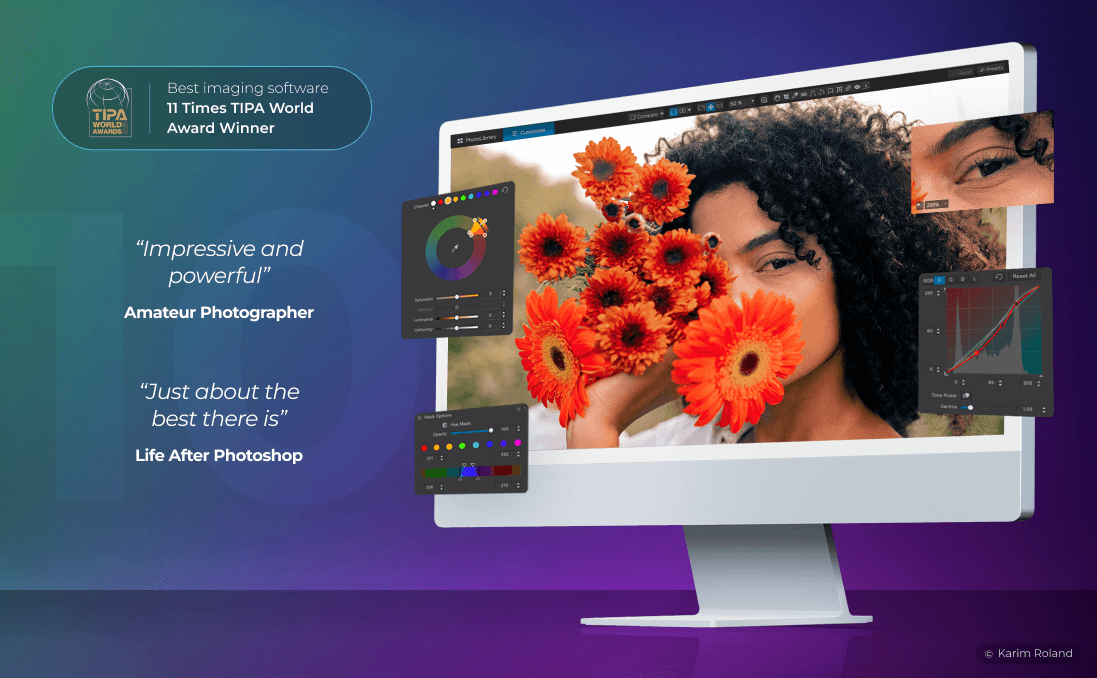
DxO PhotoLab 10 is not primarily a new RAW engine. The major change lies in how the software lets photographers isolate and edit parts of an image. With depth masks, expanded AI masks and new U Point tools, PhotoLab 10 shifts much of the work from manual selections to fast, adjustable masks.
This makes version 10 most interesting for landscape, portrait and wedding photographers who often refine subjects, backgrounds and lighting separately. At the same time, it is important to distinguish between what is new and what already existed: PhotoLab 9 had already introduced AI masks and local DeepPRIME noise reduction. The tenth edition is about making local adjustments more detailed and flexible.
The key new feature: distance-based masks
Depth Masks is the most clearly new feature. Rather than selecting by subject type, colour or shape, PhotoLab 10 analyses relative distance within a single image. This allows the foreground, middle ground and background to be adjusted separately.
This is particularly relevant for landscapes: you can reduce haze in a distant hill, add more structure to the foreground or change the colour temperature of the background without having to paint around every individual object. DxO states that the feature builds a depth map without requiring LiDAR, an additional camera or depth data in the image file.
AI in PhotoLab 10: more precise, not more generative
The new AI features in PhotoLab 10 are mainly about selection and correction, not creating new image content. The software can create one mask for all people in an image or separate masks for each person. In portraits, it can also target eyes, eyebrows, pupils, lips, teeth, skin and facial hair, among other elements.
AI-based Dust Removal is intended to automatically detect and remove sensor dust and small blemishes. In addition, AI masks can be combined with U Point to expand or contract a mask based on colour and luminance. It is a practical approach: AI does the rough work, while the photographer retains a precise tool for fine-tuning.
What is new since PhotoLab 9?
PhotoLab 9 laid important groundwork with AI masks for subjects, backgrounds, skies, faces and hair, for example. It also added local use of DeepPRIME noise reduction and Lens Sharpness Optimization, as well as workflow features such as stacks, bookmarked folders, project access and advanced batch renaming.
PhotoLab 10 builds on this with depth masks, person and group selections, facial details, AI dust removal, Control Brush and elliptical Control Points. It also adds a new colour-grading tool with separate control of shadows, midtones and highlights, along with histogram adjustment and a dedicated Whites control in Selective Tones.
It is worth noting that DxO lists the highlighted new masking and grading features as Elite features. Any upgrade assessment must therefore be based on the correct licence tier.
Is the upgrade worth it?
Yes, for PhotoLab 9 users who regularly use local adjustments. Depth masks alone provide a new and more direct way to work with space, atmosphere and subject separation, while the portrait masks and dust removal can save time when processing large image sets.
It is less obvious for photographers who mainly use PhotoLab as a fast RAW converter for optical corrections and DeepPRIME. PhotoLab 9 already has AI masks, local noise reduction and DxO’s established approach to lens profiles. In that case, the improvement is real, but not necessarily decisive.
The recommendation is therefore simple: upgrade if mask work is a bottleneck in your workflow, particularly for landscapes and portraits. If your current PhotoLab 9 process primarily consists of global adjustments and export, test the 30-day version on your own RAW files before deciding.
Against Adobe Lightroom and Lightroom Classic
PhotoLab 10 and Adobe Lightroom Classic overlap in RAW editing, masking, noise reduction and catalogue work, but have different priorities. PhotoLab’s strengths lie in DxO’s camera- and lens-based corrections, DeepPRIME processing, and the combination of AI masks and U Point. Version 10 makes this offering substantially more competitive for advanced local adjustments.
Adobe, for its part, has a larger ecosystem. Lightroom is cloud-based for editing and synchronisation across desktop, mobile and web, while Lightroom Classic is desktop-focused and designed for local storage. Lightroom Classic also has features such as AI-based metadata filters, assisted culling and generative removal with Adobe Firefly.
The key distinction is therefore workflow, not any single masking feature. Choose PhotoLab 10 if maximum control over RAW files, optics and local desktop corrections matters most. Choose the Lightroom ecosystem if cloud synchronisation, mobile access, Photoshop integration and generative tools carry more weight. PhotoLab 10 is also sold as a perpetual licence, while Adobe offers subscriptions.